
Red Chat Ritual Keywords & Investigation Files
Why keyword search seems to do nothing in Red Chat Ritual: keywords vs investigation files, SNS and map search, save banners, and time slots.
FAQ
Why can I not use a keyword in the deduction screen?
Where do I search keywords in Red Chat Ritual?
Does searching advance in-game time?
I searched but got no new investigation file. What should I check?
Why is my keyword missing from the search list?
What is the difference between a keyword and an investigation file?
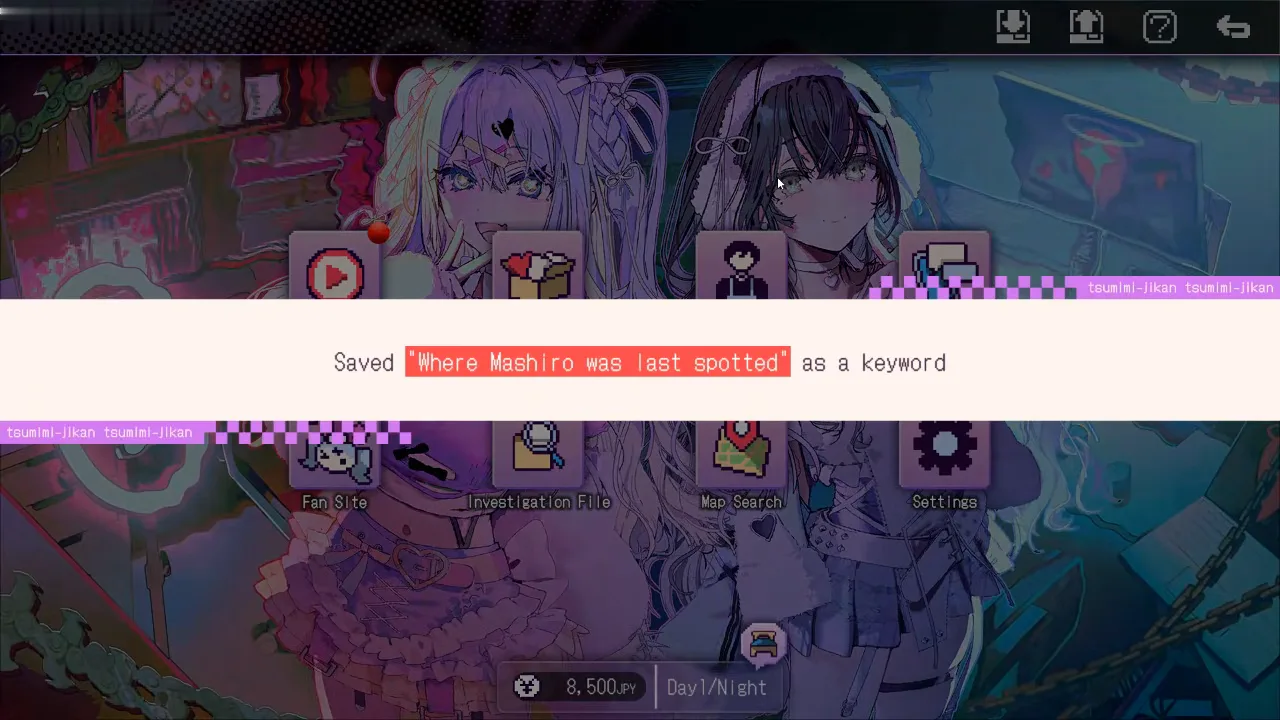
Keywords are search terms you pick up while watching streams (and from some other scenes). Investigation files are saved evidence entries you use when filling deduction blanks. The Official Hints FAQ FAQ01 states plainly that these are different: obtaining a keyword does not by itself give you deduction evidence. You search the keyword, read what it unlocks, then add an investigation file if the game offers one.
The launch-build video by theloladass Gaming shows that split on screen. After stream dialogue, a home-screen banner can read that a phrase was saved as a keyword (a search term for later). After a successful SNS or map lookup, a different banner reads that a title was saved to the Investigation File (evidence for deductions). See /walkthrough/ghost-town-deduction/ for how files feed the first major deduction, and /guides/red-chat-ritual-guide/ for the wider day/night loop.
Where do you search, and what does each screen look like?
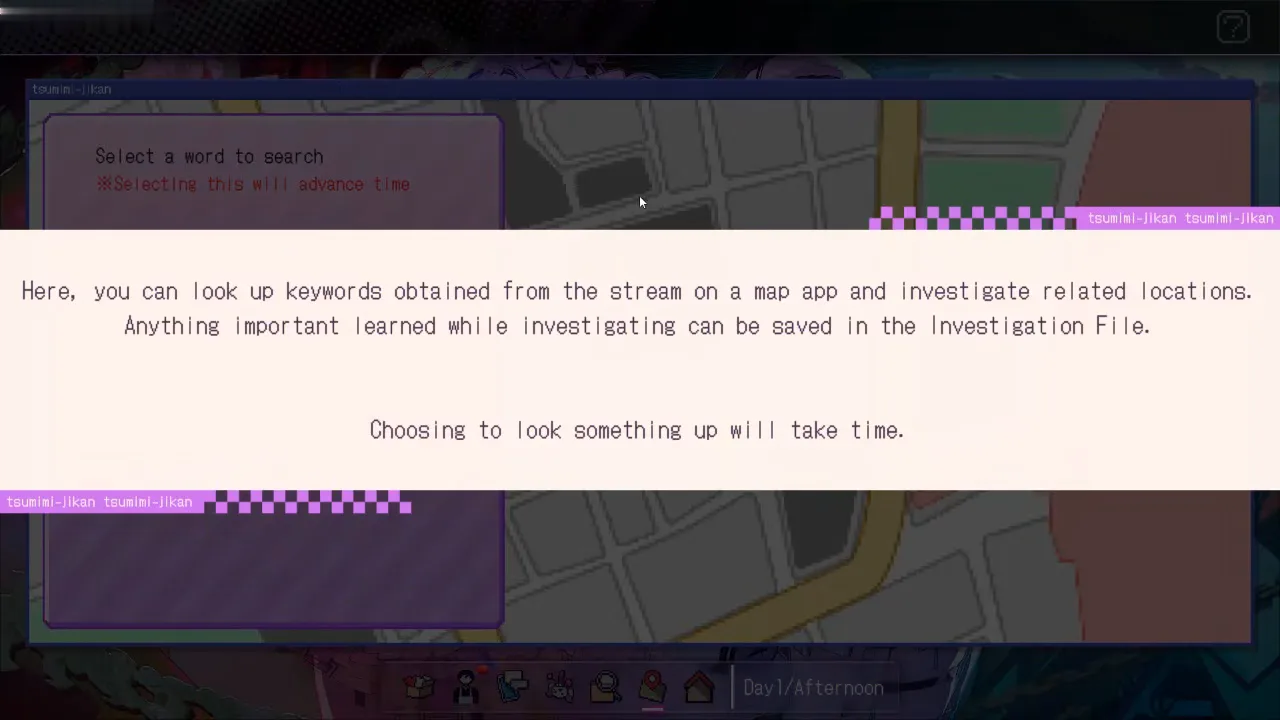
During morning and afternoon, the official play guide (Japanese Steam News, checked 2026-10-24) describes investigating from the home screen: check the date, time band, and money, then open SNS or map search. The launch-build video shows the same hub with buttons for Stream, Wishlist, Part-Time Job, SNS, Fan Site, Investigation File, Map Search, and Settings, plus save and load icons along the top edge on the home view.
SNS (social media search) uses a window titled like the in-game desktop app. A pink panel lists Select a word to search with red warning text that choosing a search will advance time. Pick a keyword you already obtained, then read matching posts in the results column. The SNS panel itself is shown on /walkthrough/chapter-1-day-1/.
Map Search uses the same keyword list layout on the left and a street map on the right. The tutorial text in the launch-build video states that you look up keywords obtained from the stream on the map app, investigate related locations, and can save important findings to the investigation file.
Fan Site is a separate browser-style window for the idol fan community. The launch-build video shows character profile columns and a central Cotton Candy Chainsaw and the Losers’ Gathering thread where you read posts and announcement buttons. Tutorial text states that information learned from the fan site can be saved into the investigation file after you read it, similar to keyword trails.
For a day-by-day view of when the first streams and searches happen, see /walkthrough/chapter-1-day-1/ and /walkthrough/chapter-1-day-2-3/.
What happens after you search?
Typical flow matches FAQ01 and FAQ03:
- Choose a keyword on SNS or Map Search (only words you already obtained appear in the list).
- Read search results (posts, replies, or a map location you open).
- When the game flags useful information, a save banner appears on the home screen naming the new investigation file entry.
- Open Investigation File from the home screen to read stored entries before deductions.
On SNS, the launch-build video shows an afternoon search where the keyword list is empty until you return with new terms from the stream, reinforcing that results depend on prior keyword unlocks.
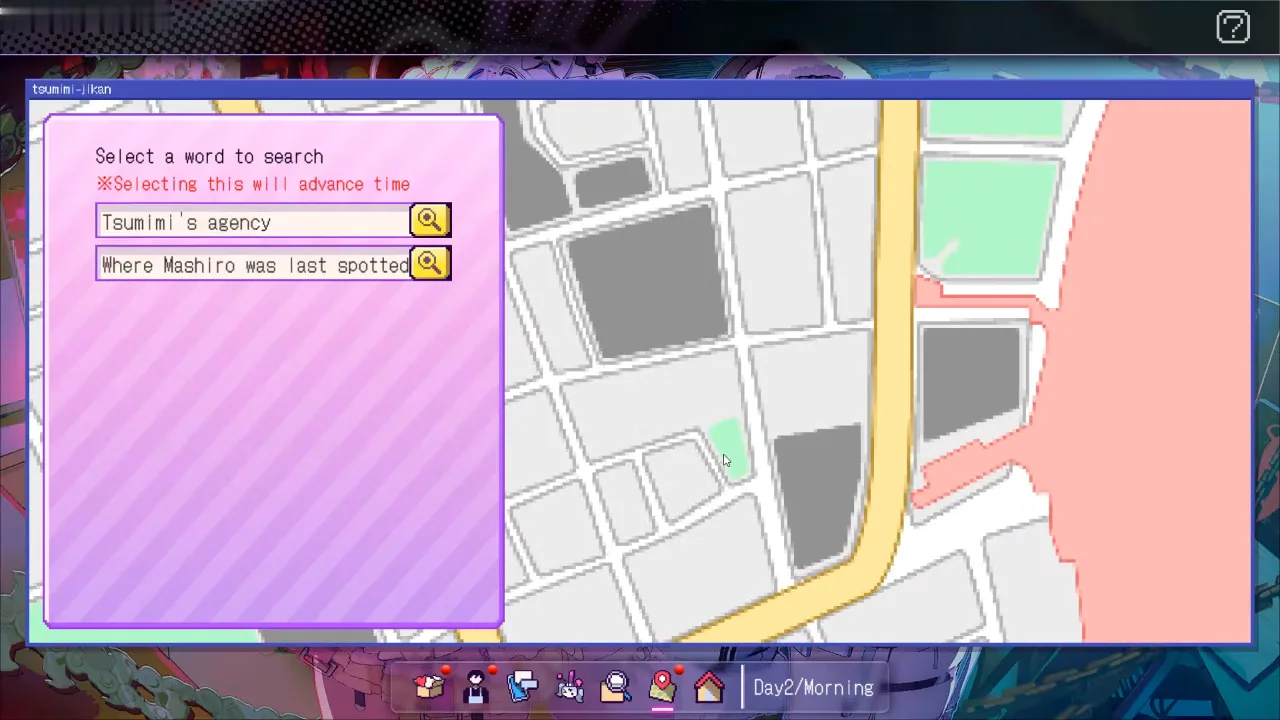
Map Search on Day 2 morning in the same recording shows two selectable keywords in the left panel, illustrating that the list grows as streams progress (the frame sits inside the spoiler fold below because it shows the search strings).
Official FAQ03 adds that not every search result yields a file. If nothing saved, drill into replies or the map location detail before assuming the keyword was wrong.
How do you open the Investigation File, and what does it show?
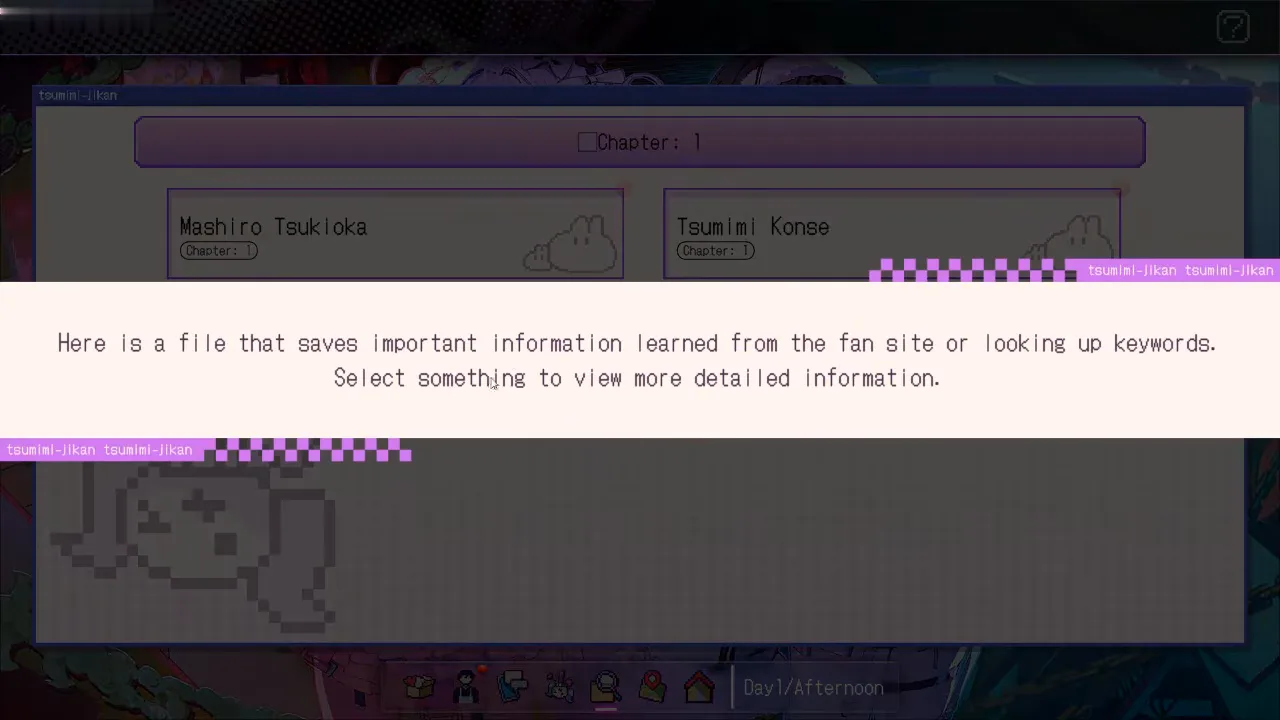
From the home screen, open Investigation File (folder and magnifying glass icon in the launch-build video). Tutorial text describes it as the place that saves important information learned from the fan site or from looking up keywords, where you select something to view more detailed information.
The same recording shows a Chapter: 1 header with a grid of entry cards; selecting a card opens a detail pop-up with a picture and a short description. Deduction screens consume these stored files, not raw keyword strings (FAQ01).
Why does searching feel like it does nothing?
These causes are supported by official FAQ01–FAQ03 and FAQ07 plus the launch-build UI frames:
| Symptom | Likely cause (supported) |
|---|---|
| Keyword missing from SNS or map list | You have not obtained that search term from a stream yet (FAQ02; keyword save banner in video). |
| Search runs but time jumps | Expected: FAQ07 and on-screen advance time warnings mean the slot is spent even if no file appears. |
| Results show but no save banner | FAQ03: read replies or open the map location; not every hit creates an investigation file. |
| Keyword exists but deduction still empty | FAQ01: keywords are not files; you still need the saved investigation file step. |
Official FAQ11 also notes that Mega Chat price alone does not guarantee every keyword; after a stream, check whether a new keyword appeared before spending the next time slot on searches.
If you are stuck on which keyword or file belongs to a chapter milestone, use the Official Hints FAQ Investigation and deduction hints section (FAQ02 and chapter entries FAQ21–FAQ22) rather than guessing. Chapter scope and the ghost-town deduction step are summarized on /walkthrough/chapter-1/.
Show example keywords from the launch-build video (spoiler)
These search strings appear in UI frames from Day 1–2 of the theloladass Gaming recording (Ver.1.0.0). They illustrate mechanics only; your route may differ (official FAQ13). The save banner near the top of this page shows the second string.
- Mashiro’s disappearance — selectable on SNS during Day 1 morning ([SINGLE] video frame at 164 s).
- Where Mashiro was last spotted — saved as a keyword after a Day 1 stream, then listed on Map Search Day 2 morning ([SINGLE] video at 745 s and 842 s).
- Tsumimi’s agency — listed alongside the Mashiro location keyword on Map Search Day 2 morning ([SINGLE] video at 842 s).
Sources and verification
| Source | URL |
|---|---|
| Official Hints FAQ (EN) | https://steamcommunity.com/sharedfiles/filedetails/?id=3825261685 |
| TSUMIMI TIME Play Guide (Steam News, Japanese body) | https://store.steampowered.com/news/app/4413070/view/703282928078034481 |
| Ver.1.0.1 update notice | https://store.steampowered.com/news/app/4413070/view/703282928078034419 |
| Launch-build gameplay video (theloladass Gaming) | https://www.youtube.com/watch?v=UFBzLM0EgSc |
Checked 2026-10-25. This guide targets Ver.1.0.1 mechanics; step screenshots are from Ver.1.0.0 video UFBzLM0EgSc (upload 2026-10-22). Community-reported keyword lists are not independently tested by this wiki; files, Mega Chat outcomes, and wishlist items can differ by route and patch (official FAQ13).
Related Articles
walkthrough
Tsumimi Time Day 1 Walkthrough: Jobs & Stream 1
Day 1 order for Red Chat Ritual: morning menus, part-time pay, saving, SNS and map search, Mega Chat tiers, and sleep into Day 2 (launch-build UI shown).
walkthrough
Tsumimi Time Mega Chat Guide: Days 2-3
Launch-build UI for Red Chat Ritual Days 2-3: Stream 2 and Stream 3 Mega Chat costs, GamePretty row checks, and which chats route guides say you can skip.
endings
Red Chat Ritual All 9 Endings (Ver.1.0.1)
How many endings does Red Chat Ritual have? Steam lists nine ending achievements (End 1–8 and End 404) plus a completionist trophy.
Was this helpful?
Thanks for the feedback!